

Every software product starts with requirements. Get them wrong early and you’ll be paying for it through the whole project — scope that keeps expanding, budgets that don’t hold, and a final product that solves the wrong problem.
There are two kinds: functional and non-functional. Functional requirements cover what the software does. Non-functional requirements cover how well it does it — performance, reliability, security, that sort of thing.
Both go into the Software Requirements Specification before development begins, and both need to be specific enough that you can actually test them.
The goal of this guide is to make the difference concrete. We’ll cover definitions, real examples, a side-by-side comparison, and some practical notes on capturing requirements without turning it into a bureaucratic exercise.
What Are Functional Requirements?
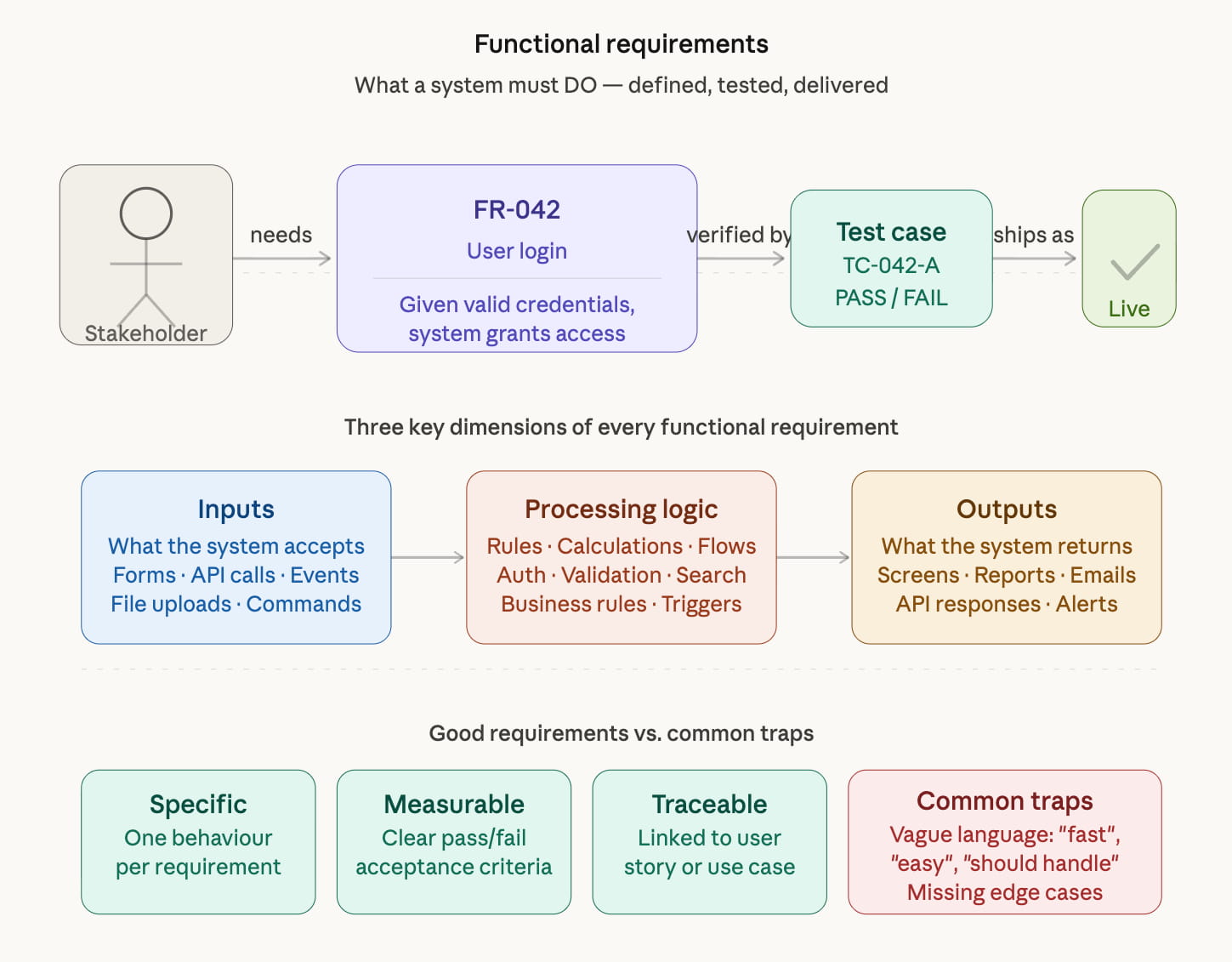
Functional requirements define what a software system must do — the specific behaviors, features, and operations it must support. They describe the system’s interactions with users and other systems, and they set out the expected outputs for a given set of inputs.
In other words: functional requirements answer the question “What should the system do?”
A classic example: “The system shall send a confirmation email within 60 seconds of a user completing a purchase.” This is testable, unambiguous, and directly describes a feature the system must perform.
Types of Functional Requirements
Functional requirements are typically organized into three sub-categories:
- Business requirements — High-level goals set by the organization commissioning the software. They describe what business problem the product solves. Example: “Enable customers to browse and purchase products online without a sales representative.”
- User requirements (Use Cases) — Describe what end-users can accomplish with the system. Example: “A user can register an account, view their order history, and request a refund.”
- System/functional requirements — Precise, technical descriptions of system behaviors. These specify how the system responds to inputs and handles specific situations. Example: “When a user submits an order, the system must verify stock availability in real time and return a confirmation or out-of-stock message within 2 seconds.”
Functional Requirements Examples: Mobile App
Here is a typical set of functional requirements for a mobile app — in this case, a fishermen’s assistance app (based on a real-world research example):
| # | Functional Requirement |
|---|---|
| 1 | Display real-time weather information, including water safety conditions |
| 2 | Show storm track and rainfall intensity data on an interactive map |
| 3 | Provide real-time market prices for fish species in nearby ports |
| 4 | Show location-based fishing area recommendations and tips |
| 5 | Allow fishermen to post catch availability to potential buyers |
| 6 | Enable buyers to specify procurement needs by species and quantity |
| 7 | Provide in-app messaging between buyers and sellers |
| 8 | Send push notifications for weather alerts and price changes |
These requirements define what the app does. They are testable: you can verify that each feature either works or doesn’t.
Functional requirements are documented in a Software Requirements Specification (SRS) — a formal document that serves as a contract between stakeholders and the development team. It describes expected system behavior across all scenarios and is central to planning, estimating, and testing.
What Are Non-Functional Requirements?
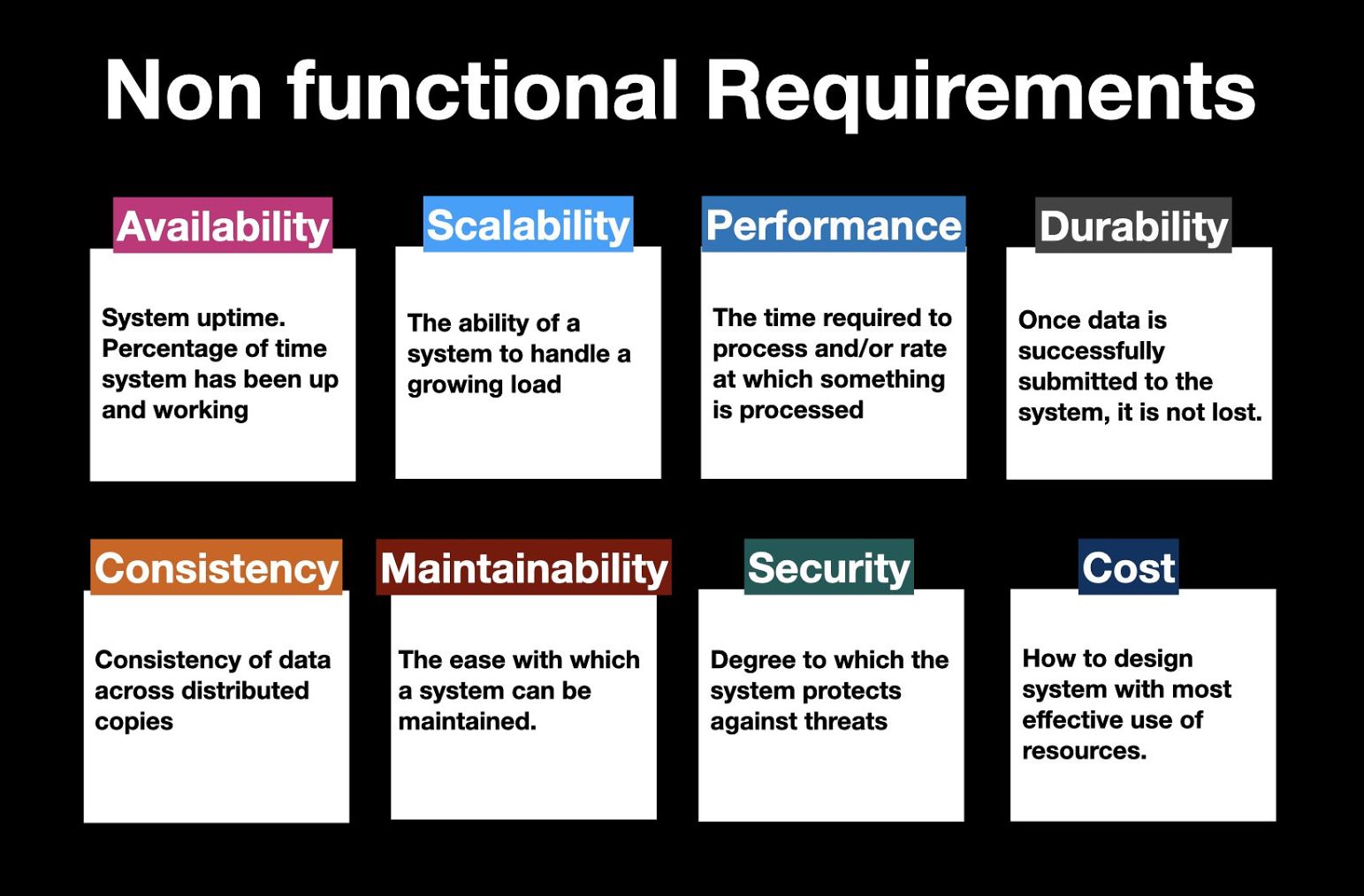
Non-functional requirements (NFRs) define how a system operates — the quality attributes and constraints that determine user experience, system reliability, and long-term maintainability. They don’t describe features, but rather the standards those features must meet.
Non-functional requirements answer the question: “How well should the system perform?”
Using our earlier email confirmation example: a functional requirement says the system must send a confirmation email. A non-functional requirement adds: “The confirmation email must be delivered within 60 seconds in 99.5% of cases, even under peak traffic of 10,000 simultaneous orders.”
Categories of Non-Functional Requirements
Non-functional requirements span many quality dimensions. Here are the most important ones for modern software products:
- Performance — Response time, throughput, and load capacity. Example: “The app must load the home screen within 2 seconds on a 4G connection.”
- Scalability — The system’s ability to handle growth without degradation. Example: “The backend must support horizontal scaling to handle up to 1 million active users.”
- Availability & Reliability — Uptime commitments and failure recovery. Example: “The system must maintain 99.9% uptime, with automatic failover within 30 seconds.”
- Security — Access control, data protection, and threat mitigation. Example: “All user data must be encrypted at rest using AES-256 and in transit using TLS 1.3.”
- Usability — How intuitive and accessible the interface is. Example: “New users must be able to complete their first transaction without external help.”
- Maintainability — How easily the codebase can be updated, debugged, or extended. Example: “New features must be deployable without system downtime using a CI/CD pipeline.”
- Extensibility — The system’s capacity to accommodate new functional requirements over time without major rework.
- Compliance — Adherence to regulations such as GDPR, HIPAA, PCI-DSS, or regional data protection laws. Example: “User personal data must be deletable within 30 days of a valid deletion request (GDPR Article 17).”
- Portability — Whether the product works across devices, OS versions, or environments. Example: “The app must run on iOS 15+ and Android 11+.”
Non-Functional Requirements Examples: Mobile Banking App
For a mobile banking application, non-functional requirements might include:
| Category | Requirement |
|---|---|
| Performance | Transaction processing must complete within 3 seconds for 95% of requests |
| Availability | System must achieve 99.99% uptime (less than 1 hour downtime/year) |
| Security | All API calls must use OAuth 2.0 with JWT tokens; sessions expire after 15 minutes of inactivity |
| Scalability | The system must handle 500,000 concurrent users during peak periods |
| Compliance | Must comply with PCI-DSS Level 1 for all payment data handling |
| Usability | Accessibility must meet WCAG 2.1 Level AA standards |
| Portability | App must function on iOS 15+ and Android 11+ without degraded performance |
Functional vs Non-Functional Requirements: Key Differences
The easiest way to understand the distinction is side-by-side:
| Aspect | Functional Requirements | Non-Functional Requirements |
|---|---|---|
| Definition | What the system must do | How well the system must perform |
| Focus | Features, behaviors, functions | Quality attributes and constraints |
| Testability | Easily testable (pass/fail) | Often measured (benchmarks, metrics) |
| User impact | Directly visible to users | Often invisible but felt by users |
| Priority | Critical — system breaks without them | Important — poor NFRs erode trust |
| Examples | Login, checkout, notifications, search | Speed, uptime, security, scalability |
| Documentation | SRS, user stories, use cases | SRS, quality attribute scenarios, SLAs |
| Scope | Feature-specific | System-wide |
Why Both Types of Requirements Matter
A common mistake is treating non-functional requirements as secondary — something to address “after launch.” This leads to real-world failures: apps that have all the right features but crash under load, expose user data, or frustrate users with slow response times.
Think of it this way: functional requirements are the walls, roof, and doors of a house. Non-functional requirements are the insulation, electrical wiring, and plumbing — invisible, but without them, the house is uninhabitable.
Both types of requirements must be defined before development begins. Retrofitting non-functional improvements — especially security and scalability — is significantly more expensive than building them in from the start.
How to Gather and Document Requirements
Collecting requirements well is a skill in itself. Here is a systematic process used by experienced business analysts and development teams:
- Stakeholder interviews — Talk directly with business owners, product managers, and end-users to understand goals and pain points.
- Workshops & brainstorming sessions — Bring cross-functional teams together to surface conflicting needs early.
- User story mapping — Structure requirements around user journeys to maintain a user-centric perspective.
- Prototyping — Build wireframes and mockups early to validate understanding and reveal gaps before development.
- SRS documentation — Formalize all requirements in a Software Requirements Specification document that all stakeholders sign off on.
- Review and baseline — Have the development team validate requirements for technical feasibility before locking them down.
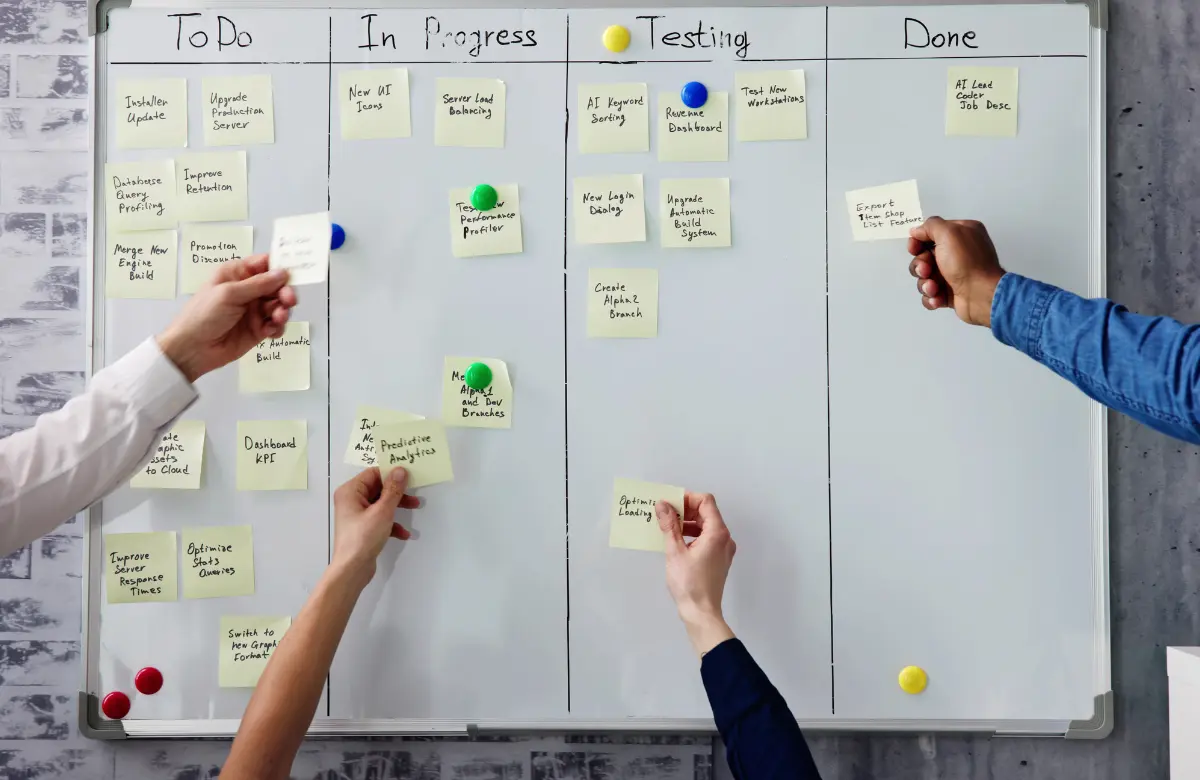
In Agile projects, requirements are typically captured as user stories (“As a [user], I want to [action] so that [benefit]”) and refined incrementally each sprint. The SRS may be replaced by a product backlog, but the principle of capturing both functional behaviors and quality constraints remains the same.
Common Mistakes to Avoid
- Skipping non-functional requirements entirely — This is the most common mistake in early-stage projects. It leads to expensive rework later.
- Vague NFRs without measurable targets — “The app should be fast” is not a requirement. “The app must load within 2 seconds for 95% of users on a standard 4G connection” is.
- Not involving engineers in requirements gathering — Engineers bridge the gap between business needs and technical reality. Their early input prevents gold-plating and infeasible specifications.
- Treating the SRS as a one-time document — Requirements evolve. Plan for change management processes so updates are captured systematically.
- Confusing functional and non-functional requirements — For example, treating “the app must comply with GDPR” as purely a functional requirement — it is both a compliance NFR and may generate several functional requirements (data deletion feature, consent management, etc.).
Takeaways
One thing worth saying upfront: these two categories aren’t in tension. They describe different dimensions of the same product. A feature that works but crashes under load isn’t really working.
If you’re working through requirements and need a second set of eyes, Lvivity team has done this with a lot of products. Reach out if it would help!


